
Appearance
Editing a Category
INFO
Note: Categories can only be viewed and edited by organizational users who have been granted relevant permissions
A newly created category appears on the Categories Page (Categories Tab). To edit a category, follow the steps below
Step 1 - Open The Edit Category Popup
Head to the Categories Page (Categories Tab) via links available on the Left Navigation Bar. On this page, search for your desired category in the table or nested under categories. Once visible, click on your desired category's row to open the Edit Category Popup.
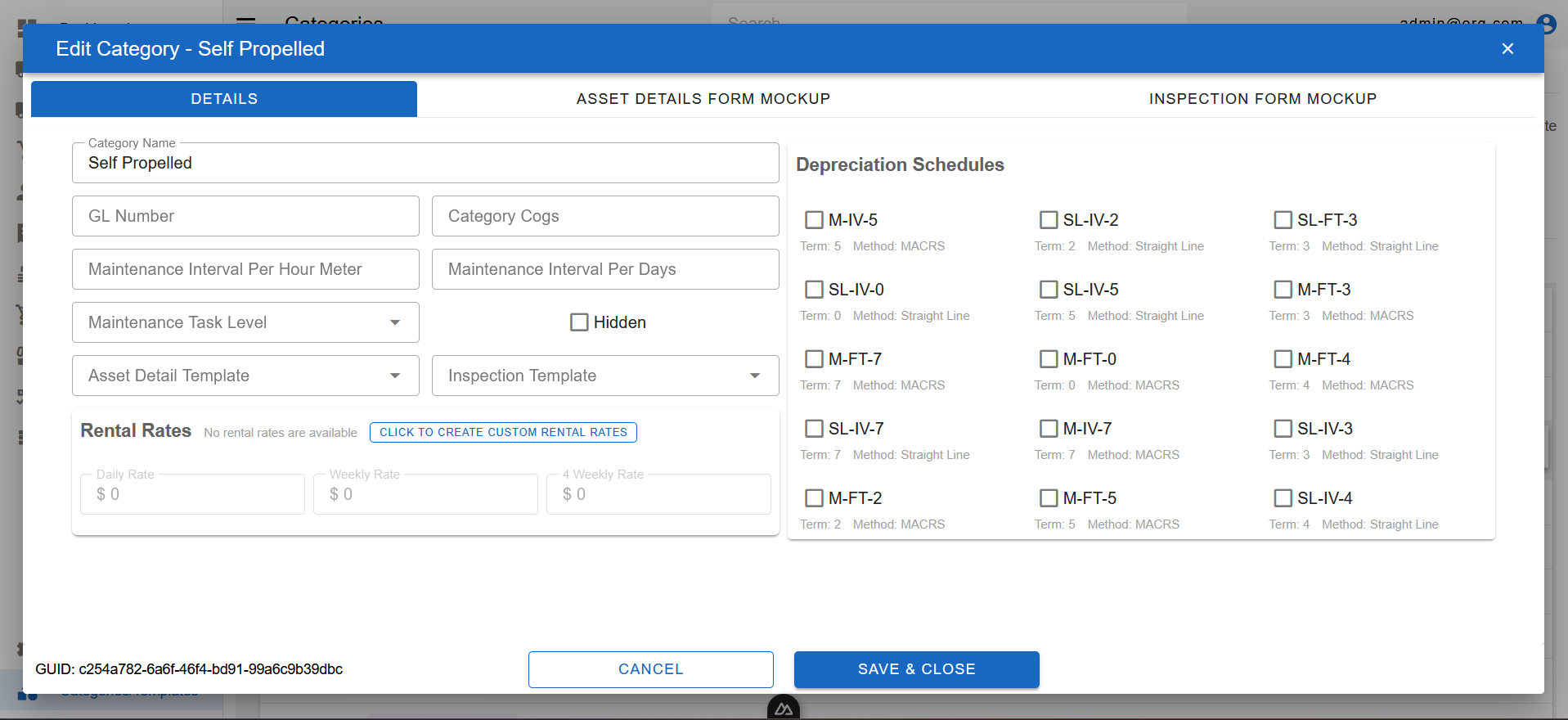
The Edit Category Popup features three tabs at the top.
Step 2 - Edit And Save Desired Information
The first tab (Details) on the Edit Category Popup features several fields of information. Fields that appear in red are required fields.
To modify information, simply click on a field and enter/modify information. When information is modified, click the Save button to sync this information on our servers.